
Stop Losing Safety Reports to Friction
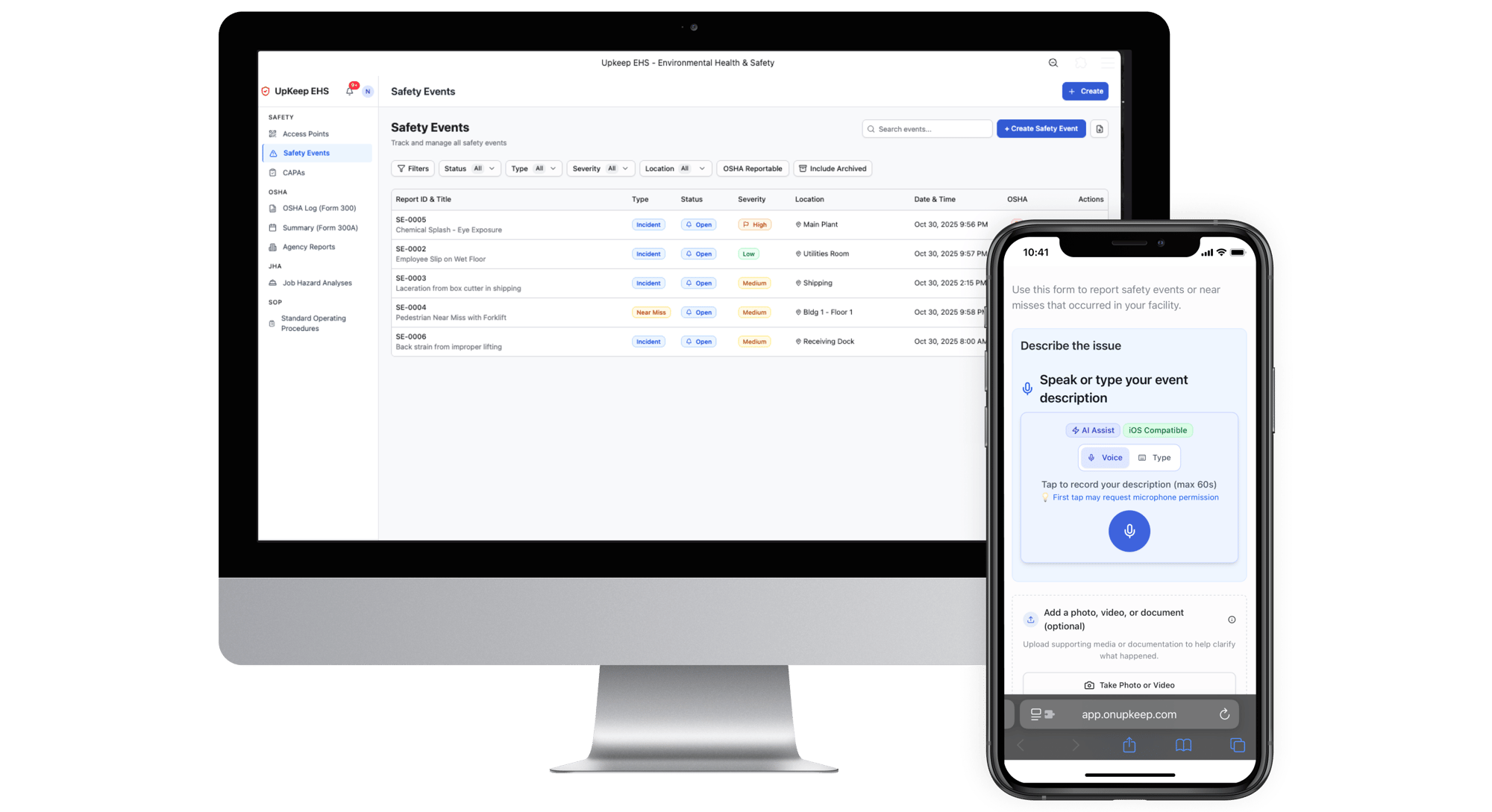
UpKeep EHS brings your team, incidents, and compliance together so you always know what's happening and nothing falls through the cracks.
- Capture incidents in seconds with voice reporting - no login or app required
- Unlimited reporter seats so anyone can report hazards instantly
- Drive every incident to resolution with automated CAPA workflows
- Stay audit-ready with built-in OSHA 300/300A logs and compliance tracking
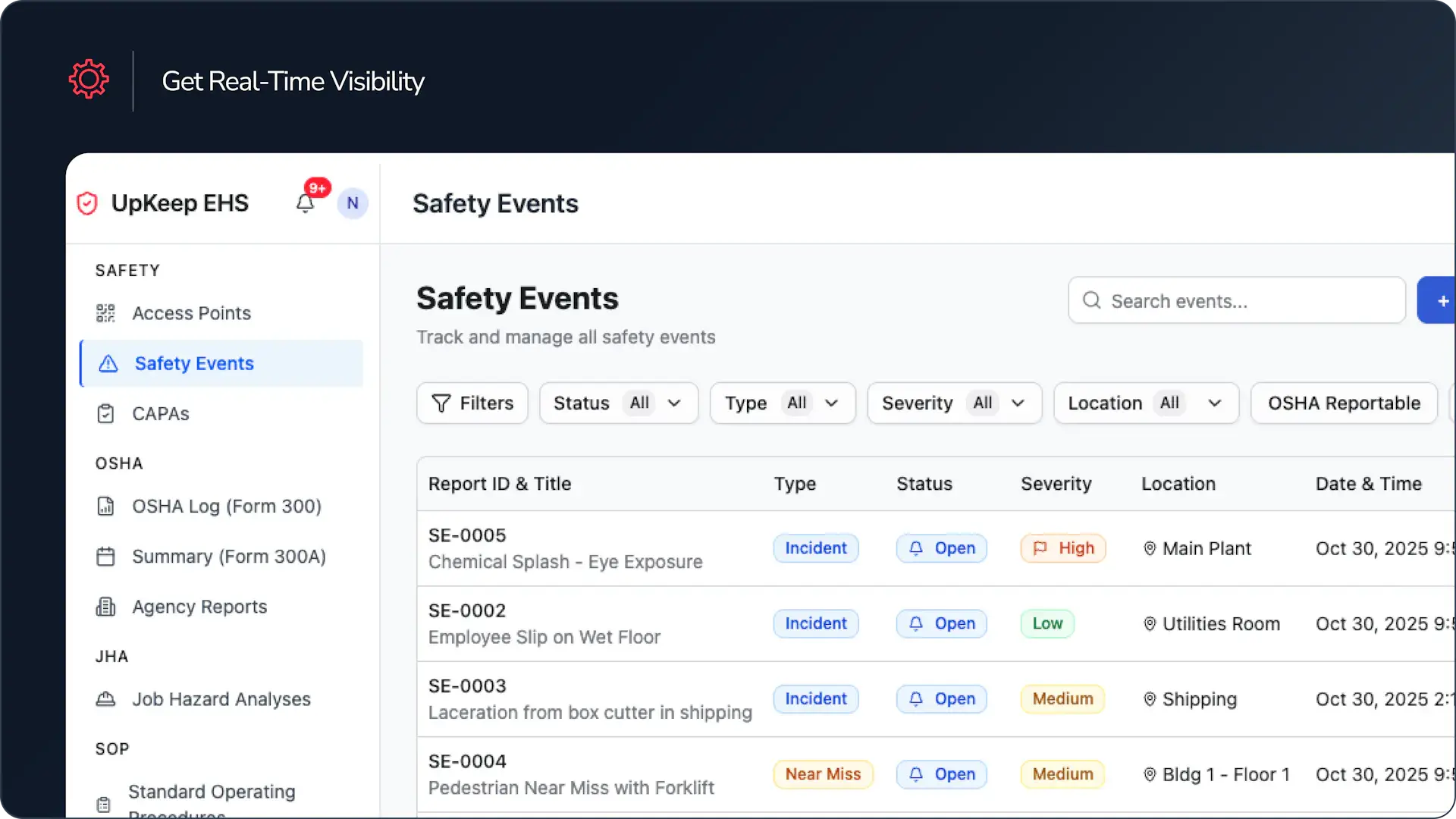
- Real-time visibility across all sites strengthens safety culture and accountability
Get a Product Tour
★ ★ ★ ★ ★ Based on 4,000+ reviews


4,000+ Companies Using UpKeep's Asset Operations Management Software




EHS and Safety Management Software
UpKeep EHS is consistently rated best-in-class for ease of use, mobile accessibility, and frontline adoption. There's a reason safety teams choose UpKeep—workers actually report because it's effortless.
- Reduce incident response time by capturing reports in seconds, not hours
- Increase near-miss reporting when workers can report by voice without login
- Stay audit-ready with automated OSHA logs and compliance tracking
- Improve safety culture by making reporting effortless for frontline teams
Make Safety Reporting Accessible for Every Worker
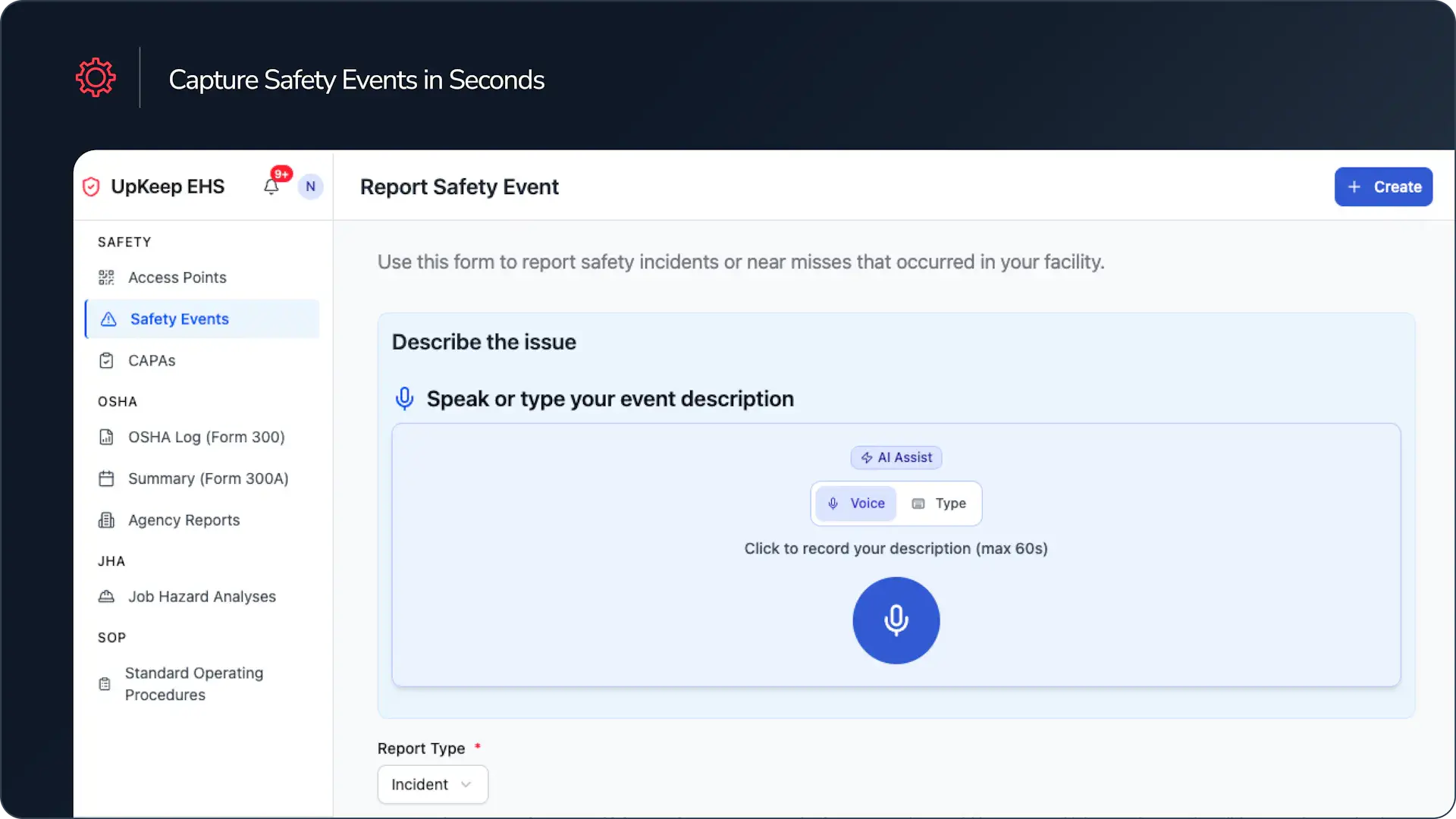
Communication is necessary for workplace safety. Keep your incident reporting consistent and effortless by allowing your team easy access to voice-first reporting and real-time incident tracking.
But software only gets used if your crew and frontline workers can actually use it. UpKeep EHS allows even your least tech-savvy team member to report incidents instantly by providing a user-friendly, voice-first interface that requires no login or app download.
Testimonials
Don't take our word for it
UpKeep EHS is consistently rated best-in-class for ease-of-use, mobile accessibility, and frontline adoption. There's a reason safety teams trust UpKeep—it actually gets used.
"UpKeep EHS saves a couple hours per case on reporting alone because there's no more back and forth about what I have or don't have. It makes the process 100 times smoother."
Selena
Raceway Car Wash
Features
Make your management easy with these features
Instant Voice Reporting
Workers scan a QR code and speak their report. No login, no app, no friction. Works offline and in any language.
CAPA Management
Turn incidents into trackable corrective actions with assigned owners, deadlines, and automated workflows that ensure nothing gets forgotten.
Safety Inspections & Audits
Conduct mobile inspections with customizable checklists. Track completion rates and identify trends before they become problems.
Mobile EHS
Built for frontline workers. Capture incidents, complete inspections, and access safety data from any device, anywhere.
Incident Tracking
Real-time visibility into every incident across all sites. Know what's happening without chasing people for updates.
OSHA Compliance
Auto-generate 300/300A logs, track recordable incidents, and stay audit-ready with built-in compliance workflows.
Built for Safety and Simplicity
UpKeep |
Legacy EHS |
|
QR Code Reporting |
✅ Instantly generate and scan QR codes to trigger mobile safety forms or reports—no logins or app installs needed. | ❌ Typically requires logging into a portal or app; QR-based reporting is rarely supported or too complex to deploy. |
No-login mobile forms |
✅ Technicians and contractors can complete forms without creating an account or downloading software. | ❌ Access usually gated behind user accounts or VPNs, adding friction for frontline teams. |
Voice-to-CAPA workflow |
✅ Capture spoken input and convert it into structured Corrective and Preventive Actions (CAPA) automatically. | ❌ No native voice support—manual entry required, increasing delay and human error. |
Auto-Generated Root Cause Analysis |
✅ Uses AI to recommend likely root causes based on incident data, speeding up investigations. | ❌ RCA must be completed manually by EHS teams, often requiring separate tools or templates. |
Job Hazard Analysis |
✅ AI-powered JHA creation with step-by-step risk scoring (severity × likelihood). Build JHAs by voice, text, or document upload with built-in approval workflows and version control. | ❌ Static forms with manual hazard identification and no AI assistance; workflows often require separate tools. |
Standard Operating Procedures |
✅ 6-step AI wizard converts voice notes or uploaded documents into comprehensive SOPs. Customize fields, add approvals, and maintain revision history—export PDFs with one click. | ❌ Rigid templates that don't adapt to unique workflows; limited or no AI support for document creation. |
OSHA Logs |
✅ Auto-populate OSHA 300, 300A, and 301 forms directly from safety events with smart validation, privacy controls for sensitive cases, and automatic compliance checks. | ❌ Manual data entry into separate OSHA tools; no integration with incident management systems. |
CMMS Integration |
✅ Natively integrated with asset, maintenance, and work order data—no need for middleware. | ❌ Often siloed from maintenance systems, making it harder to link incidents to asset history. |
Designed for Frontline Use |
✅ Mobile-first design, quick taps, voice input, and offline-friendly workflows make it ideal for on-the-floor use. | ❌ Interfaces are often built for desktop use and compliance teams, not field workers. |
Built for Every Level of the Organization
Frontline Teams
Report issues in under 30 seconds—no licenses, no friction, no extra burden.
EHS Managers
Real-time incident trends, auto-generated audit trails, and analytics that spot hazards before they escalate.
Ops & Maintenance Leaders
Safety metrics plug straight into uptime dashboards because EHS runs on the same AI-powered platform that already drives maintenance.
Simple, Scalable Pricing Fair Pricing. Unlimited Requesters. No Surprise Fees.
Safety + CMMS, all in one system
Costing up to 50% less than traditional per-seat EHS tools, UpKeep EHS is designed to support full team participation without complex seat-based licensing or hidden fees.
- Unlimited free “Reporter” seats
- Unlimited Incident Logs & CAPAs
- QR + Voice Reporting
- Real-Time Alerts & Logs
- OSHA Forms (300, 300A, 301)
- Job Hazard Analyses (JHAs)
- Standard Operating Procedures (SOPs)
- Offline Capture & Role Permissions
- 24/7 Phone, Email, Chat Support

Frequently Asked Questions
Do users need an UpKeep login to report a safety event?
No. Anyone can scan a QR code and submit a report—no login, app download, or training required. It’s designed for speed and simplicity on the frontline.
Can I use EHS without UpKeep CMMS?
Yes. UpKeep EHS works as a standalone solution for reporting and managing safety events and CAPAs. But if you’re already using UpKeep CMMS, you can link CAPAs to work orders for a fully integrated workflow.
What languages are supported?
All languages. The reporting form accepts typed and spoken input in any language. Voice input is transcribed using AI, and admins can review and respond regardless of the language used in the original submission.
Is the workflow customizable?
Yes. You can configure access points (QR codes), customize tags, assign CAPA owners, set due dates, and define escalation rules. More advanced workflows can also be layered in via UpKeep CMMS if connected.
How quickly can we get started?
Very quickly. Since users don’t need logins or downloads, and QR codes can be placed anywhere, most teams can start reporting safety events the same day setup is completed. We’ll help configure access points, workflows, and notifications so you’re ready to go with minimal effort.
Ready to see more? Keep safety issues from falling through.
See how teams like yours manage EHS without adding complexity.